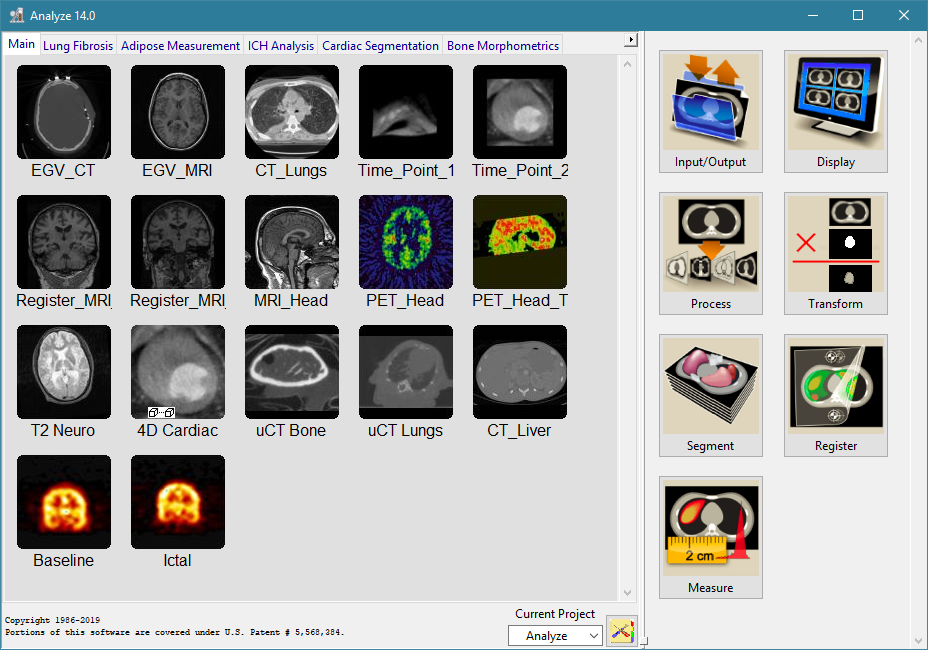
To download and install the Windows version of Analyze 10.0:
Click here to go to the Analyze 10.0 download page for Windows 7/Vista/XP (32-bit & 64-bit).
To download Analyze 10.0, click the Download button for Analyze_10.0.exe and save the file to disk.
The other files that you can choose to download from the page include:
Essential Training Guide.pdf - The Analyze 10.0 Essential Training Guide. The Guide provides a number of short exercises to help you become familiar with the basic features and functions of Analyze 10.0.
TutorialData.zip - Contains the sample data sets, object map files, and color maps used in the Analyze 10.0 Essential Training Guide exercises.
Double-click on the Analyze_10.0.exe file saved to disk in step 2. If prompted by a security warning, click 'Run'.
Before Analyze 10.0 will run, you must install a system-specific license file named AnalyzeDirect.lic.
To request a license file for your system, please refer to the "Requesting a License File" section of
the Analyze 10.0 for Windows Installation Instructions.
If at any point you encounter problems with downloading or installing Analyze 10.0, please contact
support@analyzedirect.com.
To download and install the Mac OS X version of Analyze 10.0:
Click here to go to the Analyze 10.0 download
page for Mac.
To download Analyze 10.0, click the Download button for Analyze_10.0.dmg and save the file to disk.
The other files that you can choose to download from the page include:
Essential Training Guide.pdf - The Analyze 10.0 Essential Training Guide. The Guide provides a number of short exercises to help you become familiar with the basic features and functions of Analyze 10.0.
TutorialData.zip - Contains the sample data sets, object map files, and color maps used in the Analyze 10.0 Essential Training Guide exercises.
Double-click the Analyze_10.0.dmg file saved in step 2. To launch the Analyze 10.0 Installer, double-click on the "Mac Installer" icon.
Before Analyze 10.0 will run, you must install a system-specific license file named AnalyzeDirect.lic.
To request a license file for your system, please refer to the "Requesting a License File" section of
the Analyze 10.0 for Mac Installation Instructions.
If at any point you encounter problems with downloading or installing Analyze 10.0, please contact
support@analyzedirect.com.
To download and install the Linux version of Analyze 10.0:
Click here to go to the Analyze 10.0 download
page for Linux operating systems (32-bit & 64-bit).
To download Analyze 10.0, click the Download button for Analyze_10.0.zip and save the file to disk.
The other files that you can choose to download from the page include:
Essential Training Guide.pdf - The Analyze 10.0 Essential Training Guide. The Guide provides a number of short exercises to help you become familiar with the basic features and functions of Analyze 10.0.
TutorialData.zip - Contains the sample data sets, object map files, and color maps used in the Analyze 10.0 Essential Training Guide exercises.
Open the Analyze_10.0.zip file saved to the disk and extract the Analyze_10.0 directory to your Desktop
Then, navigate to your Desktop and open the Analyze_10.0 directory. Double-click on the Installer executable and choose 'Run' if prompted.
Before Analyze 10.0 will run, you must install a system-specific license file named AnalyzeDirect.lic.
To request a license file for your system, please refer to the "Requesting a License File" section of
the Analyze 10.0 for Linux Installation Instructions.
If at any point you encounter problems with downloading or installing Analyze 10.0, please contact
support@analyzedirect.com.
To download and install the Sun Solaris version of Analyze 10.0:
Click here to go to the Analyze 10.0 download page for Sun Solaris 10+ (32-bit & 64-bit).
To download Analyze 10.0, click the Download button for Analyze_10.0.tar and save the file to disk.
The other files that you can choose to download from the page include:
Essential Training Guide.pdf - The Analyze 10.0 Essential Training Guide. The Guide provides a number of short exercises to help you become familiar with the basic features and functions of Analyze 10.0.
TutorialData.zip - Contains the sample data sets, object map files, and color maps used in the Analyze 10.0 Essential Training Guide exercises.
Extract the Analyze_10.0 directory from the Analyze_10.0.tar file saved to disk in step 2.
Open the extracted Analyze_10.0 directory and double-click on the Installer executable. If prompted, choose 'Run'.
Before Analyze 10.0 will run, you must install a system-specific license file named AnalyzeDirect.lic.
To request a license file for your system, please refer to the "Requesting a License File" section of
the Analyze 10.0 for Sun Solaris Installation Instructions.
If at any point you encounter problems with downloading or installing Analyze 10.0, please contact
support@analyzedirect.com.